Quick Start
Sign up, run your first backlink audit, and start monitoring in under 5 minutes.
This guide walks through the shortest path from zero to your first audit and monitored links. By the end, you will have:
- A free account
- An audit of up to 5 backlinks with AI scores
- Up to 5 backlinks under continuous monitoring with email alerts
Total time: about 5 minutes.
Create a free account
Go to the Register page. Sign up with Google or GitHub (one click) or with email + password.
The free plan needs no credit card. You get 1 audit per month, 5 monitored links, and weekly check frequency. Enough to evaluate every workflow on a real domain.
Land on the dashboard
Right after signup, you arrive at the dashboard overview. The left sidebar shows your main sections: Audits, Monitoring, Reclaim, Competitors, Score, Settings. The right side has stats: total links audited, currently monitored, recent transitions, your overall Backlink Score.
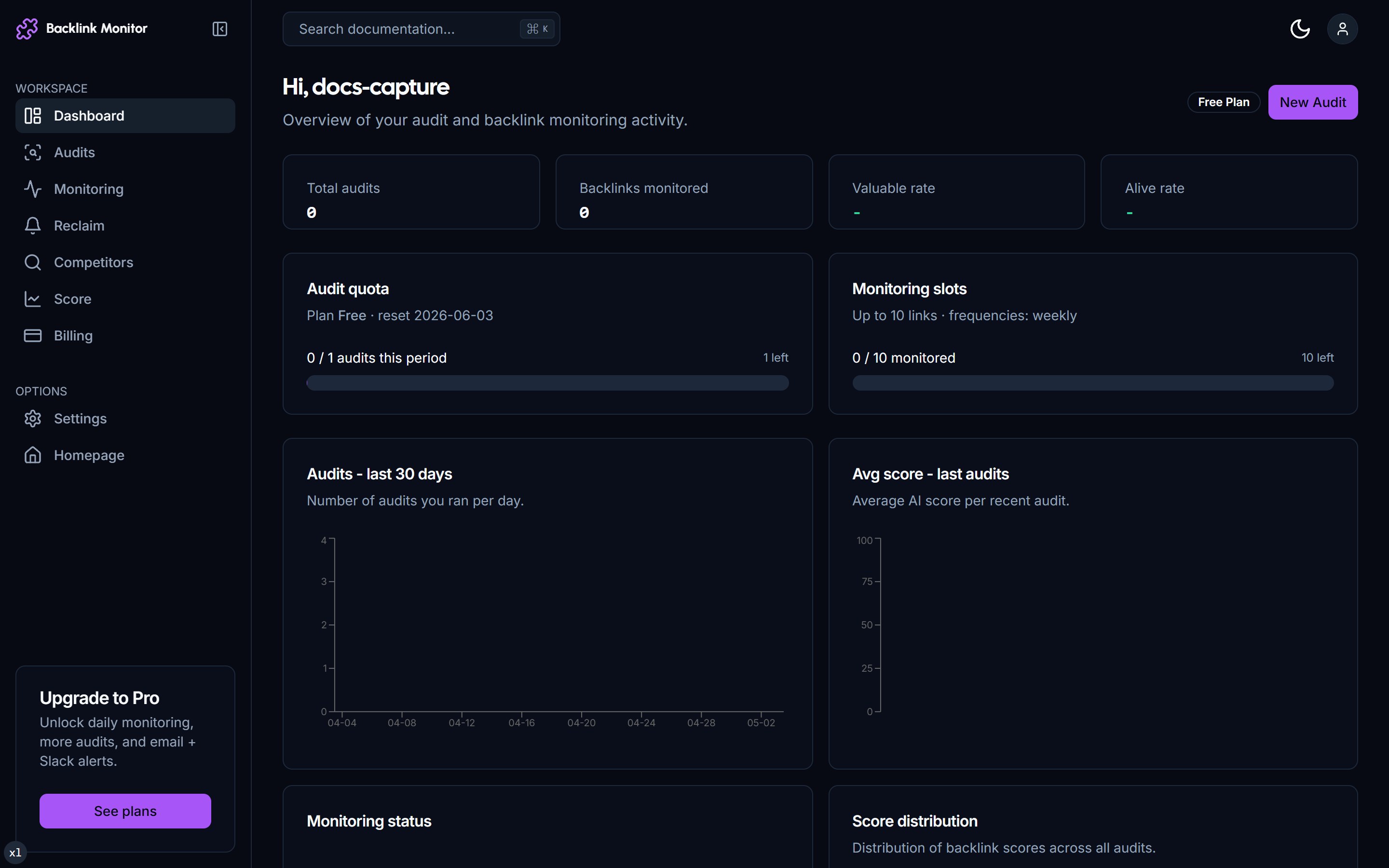
If this is your first time, all stats read zero. That changes as soon as you run an audit.
Run your first audit
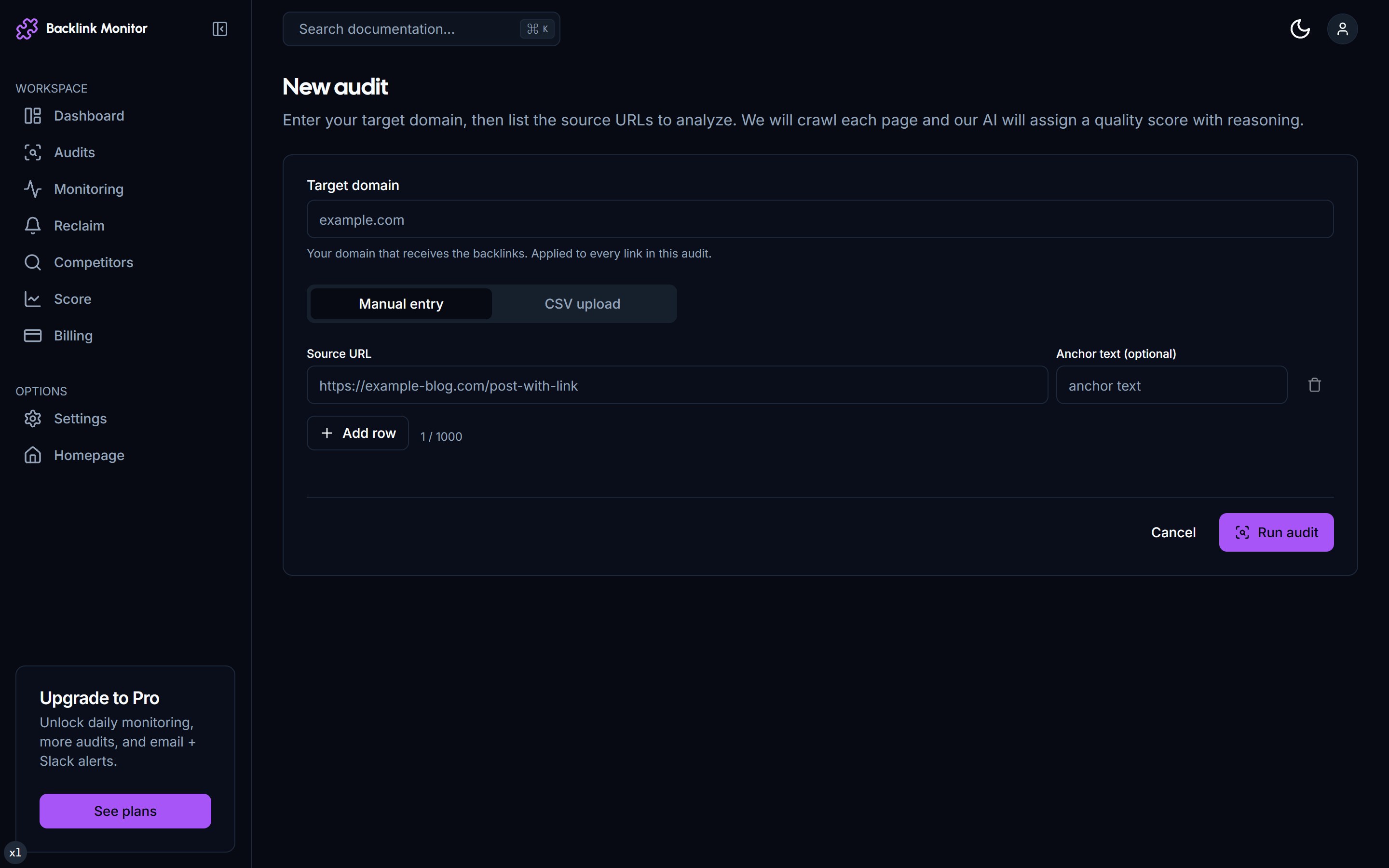
Click Audits in the sidebar, then New Audit. You will see a single page with two input choices:
- CSV Upload - paste or upload a list of source URLs and your target domain.
- Google Search Console (optional) - one-click pull of your existing backlinks. Requires GSC connected in Settings; see GSC Integration for that flow.
For a quick test, paste a small CSV with the format below. Set the target domain to your own site (the destination the source links should point at).
source_url,target_url,anchor_text
https://example.com/blog/post-1,https://yoursite.com/landing,best widget tool
https://news.example.org/2024/widgets,https://yoursite.com/,Widget IncThen click Start audit.
Watch the audit run live
You are redirected to the audit detail page immediately. The progress bar climbs as Crawl4AI fetches each source URL and DeepSeek generates a 1-100 score with reasoning.
For 10 rows, the audit completes in 30-60 seconds. For 100 rows, expect 2-3 minutes. You can navigate away and come back - the audit runs server-side and an email arrives when finished.
📸 Audit detail page with progress bar and rows streaming in
Read the results
When the run finishes, each row shows:
| Column | Meaning |
|---|---|
| Source | The page that links to you. |
| Anchor | Anchor text used (or "[image]" if it is an image link). |
| Status | alive / changed / dead based on what we found at fetch time. |
| Score | AI score 1-100. Above 70 is valuable, 30-70 is borderline, below 30 is suspicious. |
| Reasoning | One sentence explaining the score (relevance, authority signals, anchor naturalness, dofollow, placement). |
| Toxicity | safe, caution, or toxic based on PBN, anchor over-optimization, suspicious context heuristics. |
| Actions | 3-5 concrete next steps for that link (reach out, disavow, monitor, etc.). |
📸 Audit detail page showing scored rows with reasoning column
Click any row to expand the Actions drawer. For low-score rows there is a Compose outreach button that opens a modal with a prefilled subject line and body.
Move valuable links to monitoring
In the audit detail page, select rows scoring 70+ (the ones you want to keep an eye on) and click Move to monitoring. This adds them to the Monitoring section where they will be re-checked on your plan's frequency (weekly on Free, daily on Pro, hourly on Agency).
📸 Selecting rows and clicking Move to monitoring
You will get an email any time one of those links transitions:
alive → changed- anchor edited, link still works.alive → dead- link removed or page 404. Triggers a reclaim draft.dead → alive- link came back (rare but worth knowing).
Check your Backlink Score
Click Score in the sidebar. You will see a single composite number 0-100 with a letter grade (A through F). The breakdown shows:
- Quality (50%) - average AI score of monitored + valuable discovered backlinks.
- Diversity (25%) - unique source domains + TLD spread.
- Toxicity (25%) - subtracted: percentage of toxic links in the profile.
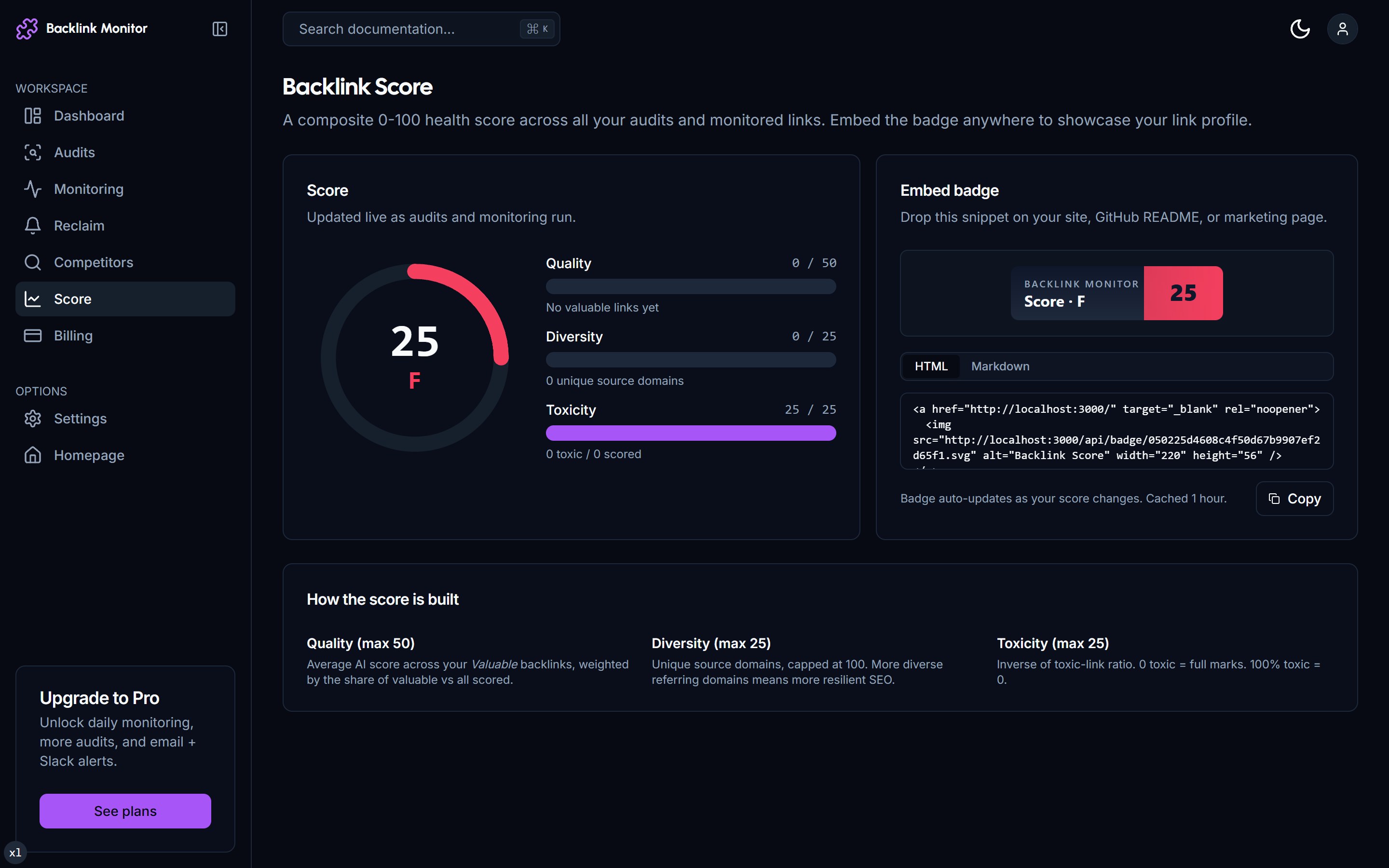
You also get an embed snippet for an SVG badge. Paste the snippet anywhere on your site to display the score publicly.
What's next
You have just done the full TraceLinker loop in miniature. From here, learn the deeper workflows:
- Run a Backlink Audit - large CSVs, deduplication, GSC vs CSV trade-offs.
- Set Up Monitoring - choosing frequencies, transitions, alert tuning.
- Reclaim Lost Links - turn the auto-drafted emails into actual sent outreach.
- Disavow Toxic Links - download a Google-ready disavow.txt.
- Plans & Pricing - when to upgrade from Free to Pro to Agency.
Troubleshooting
My audit is stuck at 50%. Refresh the page. The progress bar polls every 2 seconds; sometimes the polling stalls but the worker is still running. If the audit truly fails, you'll see a red banner with the error and a Retry button.
A link shows dead but I can see it in my browser.
The check uses Mozilla/5.0 user agent without JavaScript execution. If the source page is fully client-rendered (React app with no SSR) or behind Cloudflare bot challenges, we may not see the link even though it exists. Mark it as a False positive in the row dropdown - we re-verify with a different fetch strategy.
My CSV has 1,000 rows but only 100 got processed. Free plan caps audit size at 100. Pro is 1,000, Agency 10,000. Upgrade in Settings → Billing.